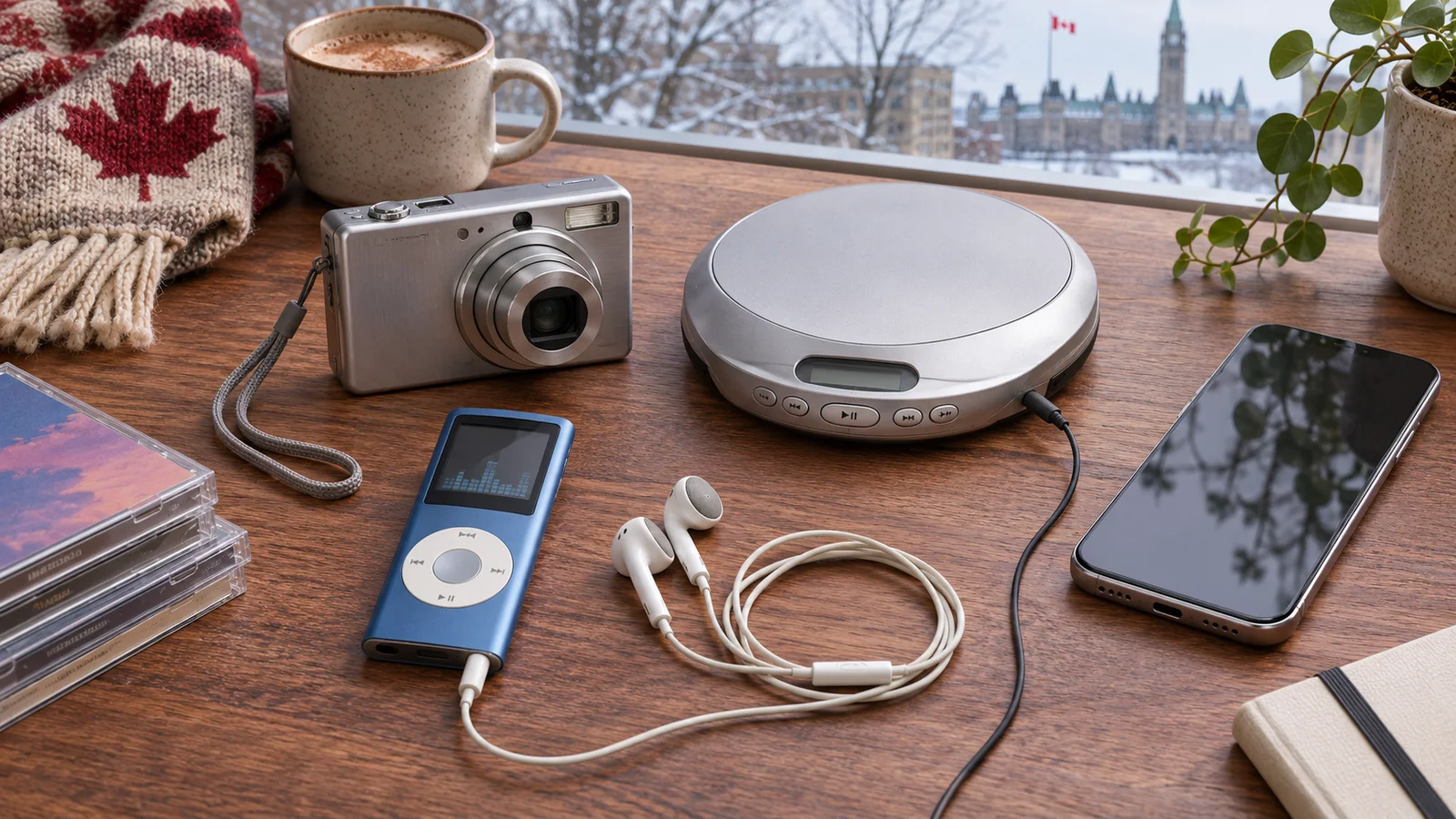
Retro tech in Canada is no longer a niche curiosity. Google Canada’s 2026 holiday search report found year-over-year growth for MP3 players, compact digital cameras, wired earphones, and CD players. Searches for MP3 players rose 165%, digicams 50%, wired earphones 40%, and CD players 15%. Film cameras, mini cameras, and even VCRs were also attracting interest.
This is not simply nostalgia for obsolete objects. Dedicated devices offer physical controls, fewer notifications, predictable ownership, distinctive images or sound, and a way to separate an activity from the smartphone. The category also contains poor batteries, unsupported software, counterfeit memory cards, inflated resale prices, and products that look charming but are frustrating to use. This guide explains the trend and how to buy each device intelligently.
Why older technology feels useful again
Single-purpose devices reduce interruption
A phone can play music, take photographs, show video, navigate, message, and shop. That versatility also means every activity shares a screen with alerts and feeds. A dedicated player or camera creates a boundary. Pressing play does not expose an inbox; opening a camera does not invite a social app. For students, commuters, families, and creative hobbyists, reduced interruption can be a practical benefit rather than an aesthetic preference.
Physical controls are immediate
Buttons, dials, headphone plugs, removable memory cards, and optical viewfinders provide direct feedback. They can be operated by touch, with gloves, or without navigating menus. The interface is usually stable because an update does not redesign the device every few months. That predictability appeals to people who want a tool rather than an expanding service.
Ownership is clearer
A locally stored music library or shelf of CDs does not disappear when a licence changes or subscription ends. Ownership still requires backups and lawful acquisition, but it creates control over organization, availability, and quality. A camera that records to a standard memory card can also produce files without automatically uploading them to a cloud account.
Constraints can produce a distinctive style
Older compact cameras often have small sensors, strong direct flash, slower autofocus, limited dynamic range, and visible noise. Those limitations differ from the computationally polished phone image. People may prefer the result because it feels less optimized and more tied to a moment. Similarly, listening to an album from a dedicated player encourages selection rather than endless recommendation.
Repair and reuse can be satisfying
Buying used keeps a functioning device in circulation and can teach maintenance. But “old” is not automatically sustainable. A device that needs a proprietary battery shipped internationally, fails after a week, or cannot transfer files may create more waste than a durable modern alternative. Sustainability depends on condition, repairability, accessories, shipping, and actual use.
MP3 players: what matters in 2026
Modern MP3 players range from inexpensive clip devices to high-resolution digital audio players. Decide whether the goal is distraction-free playback, a child-friendly library, exercise, long battery life, expandable storage, or premium wired audio. The right category changes with the goal.
Check supported audio formats, maximum microSD capacity, database limits, playlist support, gapless playback, Bluetooth version, headphone output, USB connector, and whether the device behaves as ordinary storage when connected to a computer. A player can advertise a large card capacity yet struggle to index a large library. If you use audiobooks or podcasts, verify bookmarking, playback speed, folder navigation, and resume behavior.
For older units, battery health is the decisive variable. Ask how long the device actually plays, whether it charges reliably, and whether replacement requires soldering. Confirm that the seller has removed account locks and that compatible desktop software still runs on your computer. Proprietary cables and dock connectors can turn a cheap player into an expensive project.
Sound quality claims need context. A more powerful amplifier can help demanding headphones, but expensive specifications do not improve a low-quality source or poor fit. Efficient everyday earphones usually work well from a modest player. Protect hearing by keeping volume moderate, especially in noisy transit where people tend to compensate by turning it up.
Compact digital cameras: choose the experience, not the hype
The “digicam look” is associated with direct flash, saturated colour, dated processing, and imperfect low-light images. Search demand has pushed some once-inexpensive models to surprising prices. Do not assume a viral model is technically superior. Many adjacent cameras from the same period can deliver a similar experience for less.
Start with the battery and memory system. Cameras that use common AA rechargeable cells can be easier to keep alive, though they may be bulkier. Proprietary lithium batteries should have reputable replacements and a working charger. Very old cameras may accept only limited-capacity SD cards or obsolete formats; this memory card technology guide explains the underlying formats. Confirm the precise card standard, not just the physical shape.
Inspect the lens at several zoom positions. Look for haze, fungus, scratches, grinding, or an error when extending. Test autofocus, flash, buttons, card door, battery door, screen, image stabilization, date retention, USB transfer, and the ability to save and review multiple photographs. Take sample images in daylight and with flash, then inspect them on a larger screen for sensor lines, dark corners, or stuck pixels.
Megapixels are a poor shortcut. Lens range, flash behavior, startup time, battery availability, and ease of transfer matter more to the actual experience. If you want dependable family documentation rather than a deliberate retro look, a newer used compact camera may be the wiser purchase.
Wired earphones: why the cable is returning
Wired earphones do not require pairing, firmware, charging, or a radio connection. Latency is negligible, making them useful for games, instruments, video editing, and calls where synchronization matters. They can also remain usable for many years because there is no tiny sealed battery steadily losing capacity.
The trade-offs are cable wear, tangling, connector compatibility, and microphonic noise when a cable rubs clothing. Check whether your device has a 3.5 mm jack or requires a USB-C or Lightning adapter. Not every USB-C audio product works identically: some contain their own digital converter, while others expect the phone to supply analogue audio. Buy an adapter confirmed for the exact device.
Fit dominates sound. Earbuds that fail to seal can lose bass and require higher volume. Try several tip sizes, and consider foam or alternative shapes if appropriate. For calls, confirm microphone location and remote-button compatibility. Replaceable cables can extend life, but uncommon connectors may make replacements difficult.
Counterfeits are common in popular low-cost audio models. Buy from an authorized or accountable seller, compare packaging and serial information cautiously, and distrust a price far below the market. Hygiene also matters with used in-ear products: budget for new tips and clean the housing according to manufacturer guidance.
CD players: portable, desktop, or component?
A portable CD player prioritizes battery operation and anti-skip performance. A desktop unit combines speakers and convenience. A component player connects to an existing amplifier and can offer better controls and serviceability. Decide where listening will happen and whether you need headphones, speakers, optical output, radio, Bluetooth, or the ability to play burned discs.
Used players should be tested through a complete disc, not just the first track. A weakening laser or mechanism may fail toward the outer edge of a disc. Test track selection, pause, seek, headphone output, line output, display, remote, and door or tray operation. Mechanical noise may be normal at startup, but repeated clicking, skipping, or failure to recognize clean discs signals a problem.
Some portable models use external battery packs or unusual power adapters. Confirm voltage, polarity, and connector before substituting a supply. Never guess. For a component player, a digital output can let a modern external converter handle audio while the old machine serves as a disc transport, but reliability of the mechanism remains essential.
A used retro-tech inspection checklist
| Area | What to verify | Common hidden cost |
|---|---|---|
| Power | Battery runtime, charger, clean contacts, correct adapter | Rare battery or proprietary charger |
| Storage | Supported card type and capacity, file limits | Obsolete card reader or counterfeit card |
| Controls | Every button, dial, port, door, and switch | Donor parts or specialized repair |
| Media | Several known-good files, cards, or discs | Format conversion or replacement drive |
| Transfer | Works with your current computer and cable | Legacy software, adapter, or old operating system |
| Account | No activation lock or previous-owner data | Device may be unusable or unsafe |
| Condition | No corrosion, swelling, fungus, cracked hinges, or odour | Cleaning, battery damage, or irreparable optics |
How to price a retro device fairly
Use completed sales rather than optimistic asking prices. Match model, colour only when it truly affects scarcity, condition, included accessories, and tested status. “Untested” should be valued as non-working unless you are prepared to repair it. A seller saying the device worked years ago is not a current test.
Add the complete setup cost: device, battery, charger, cable, memory card, reader, adapter, new ear tips, shipping, tax, and likely service. Compare that total with a modern product that provides the same core experience. A retro device can still be worth more to you because of design or creative output, but the premium should be conscious.
Scarcity cycles are volatile. When a specific camera or player trends on social media, substitutes may provide nearly identical function at half the price. Search by specifications and release family, not only by the viral model name.
Security and privacy considerations
Dedicated devices are often more private because they have no network connection, but the computers used to manage them can introduce risk. Do not install abandoned software from an unknown download site. Prefer standard USB storage, open formats, and official archived installers where available. Scan removable media and disable automatic execution.
Used devices may contain photographs, contacts, Wi-Fi credentials, or account tokens from a previous owner. Sellers should erase them; buyers should perform a documented factory reset and format storage before use. A reset is not proof that every form of forensic recovery is impossible, so sellers should remove their own cards and follow secure-erasure guidance before transfer.
Old network-enabled players or cameras may no longer receive security updates. Avoid connecting them to sensitive networks. If connectivity is unnecessary, leave it disabled. A product can remain excellent at its core offline function without being safe as a modern internet device.
How to build a modern workflow around old hardware
Use standard, maintainable formats. Store music in a lossless master library and create compatible copies for the player. Keep original camera files before editing. Maintain at least two backups on different devices, with one kept separately. A dedicated device should not become the only location of meaningful media.
Create a small accessory kit: labelled cable, card reader, spare charged battery, protective case, and a short instruction note. For a gift, preload only lawfully owned media and explain file transfer, charging, safe volume, and backup. The difference between a delightful retro gift and a drawer-bound object is often setup.
Set expectations about speed. Importing files, naming folders, or waiting for flash recycling is part of the experience. If that friction supports focus and intention, it is a feature. If it prevents the intended user from participating, choose a simpler modern device.
Who should buy retro tech—and who should not?
It suits people who enjoy deliberate limits, physical interfaces, local libraries, experimentation, and light maintenance. It can work for children when controls are simple, content is curated, and batteries or small parts are age-appropriate. It also suits creators seeking a specific visual or listening process.
It is a poor match when the user needs dependable accessibility features, instant cloud backup, current security support, seamless streaming, professional reliability, or a warranty. A device chosen only because it looks fashionable may become inconvenient quickly. Buy the workflow, not merely the object.
Frequently asked questions
Why are MP3 players trending again in Canada?
Google Canada reported a 165% year-over-year rise in searches in its 2026 holiday data. Likely attractions include distraction-free listening, local ownership, long battery life, physical controls, and interest in earlier digital design.
Are old compact cameras better than phones?
Usually not in a general technical sense. Phones offer better computational processing and convenience. Older cameras are appealing for their distinct output, flash, controls, and separation from social apps.
Do wired earphones always sound better?
No. Design, fit, tuning, source, and listening level matter. Wired models remove battery and wireless-codec constraints, but quality still varies widely.
Is an untested device a bargain?
Only if priced as a repair risk. Assume it may need a battery, charger, cleaning, parts, or specialist work, and never pay a tested-device premium.
What is the safest retro-tech gift?
A fully tested device using common cables and storage, with a healthy or replaceable battery, clear instructions, return options, and a prepared media workflow.
The bottom line
Canada’s retro-tech revival reflects a modern need: technology that does one thing clearly and stays out of the way. MP3 players, digicams, wired earphones, and CD players can provide that experience, but age and popularity do not guarantee value. Define the desired workflow, verify power and compatibility, test every function, price the complete setup, and keep standard backups. The best retro purchase is not the rarest device—it is the one you will still enjoy using after the trend moves on.