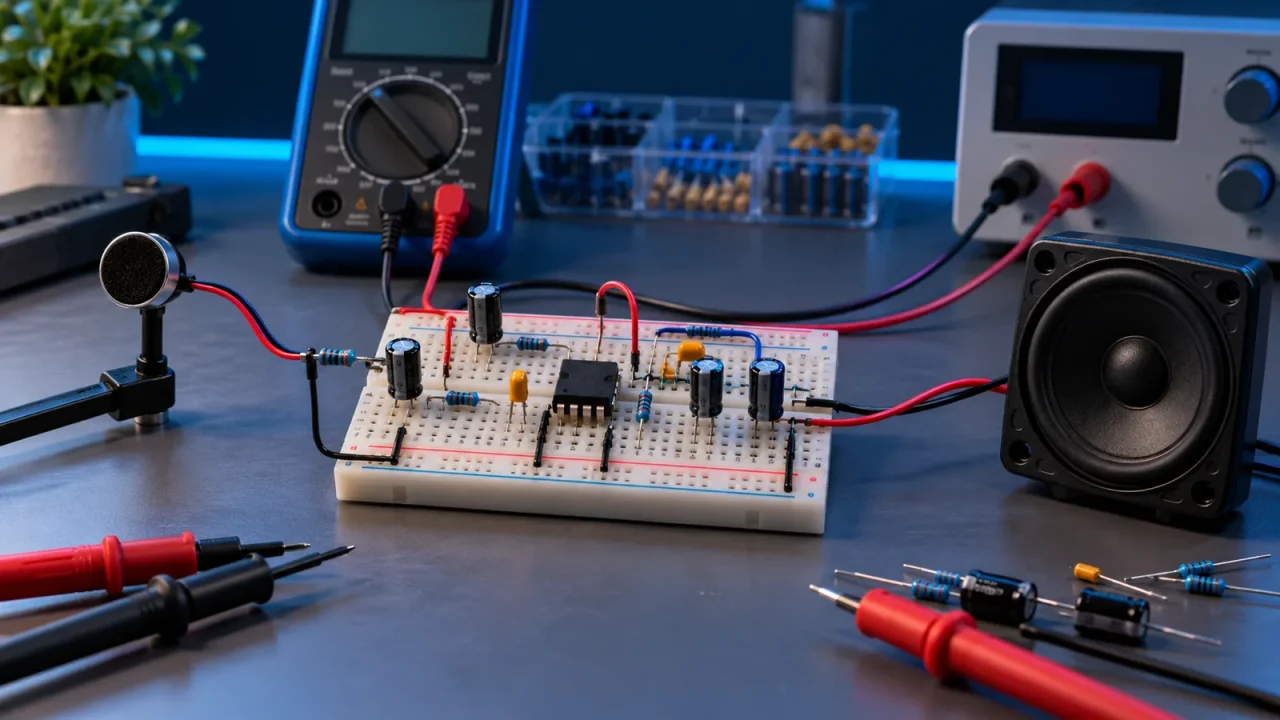
A “listening device” can mean a classroom microphone, a hearing-assistance product, a nature recorder, an intercom, or a tool designed to spy on people. Those are not ethically or legally equivalent. This article covers a visible, short-range, wired simple microphone amplifier for learning how sound becomes an electrical signal. It does not explain covert placement, remote surveillance, interception, or recording people without consent.
Laws on audio recording vary by country and, in the United States, by state. Some situations require consent from every party. A device that is lawful on your own workbench may be unlawful when used to capture a private conversation. Use it only where everyone affected knows what it is, agrees to its use, and can stop the session.
Project goal
- Power a small electret microphone capsule safely.
- Remove its DC bias and amplify the tiny audio signal.
- Listen through a powered speaker or record into a line-level input designed for experimentation.
- Measure stages with a multimeter and, ideally, an oscilloscope.
- Learn gain, filtering, noise, grounding, clipping, and feedback.
- Keep the assembly visible, wired, local, and consent-based.
What the circuit does
An electret condenser microphone capsule commonly contains a tiny field-effect transistor buffer. It needs a DC bias through a resistor. Sound changes the capsule’s electrical output by only a small amount, so the signal passes through a coupling capacitor into an amplifier. The capacitor blocks the microphone’s DC bias while allowing changing audio voltage through.
A single-supply operational amplifier cannot normally swing below ground, so the amplifier input is biased around a midpoint reference—often half the supply voltage. The audio signal then moves above and below that virtual midpoint. A final coupling capacitor can remove the midpoint DC before a compatible output.
Texas Instruments’ electret preamplifier reference designs use the same core ideas: bias the capsule, choose gain and bandwidth, operate from one supply, and verify performance through measurement. A breadboard version is less compact and noisier, but it teaches the signal path clearly.
Choose a safe project architecture
Use a 5-volt battery pack or current-limited bench supply, an electret microphone breakout or capsule, a rail-to-rail-capable op amp rated for 5 volts, and a small powered speaker module with its own amplifier. Do not drive headphones directly from a general-purpose op amp unless the device and circuit are designed for that load. A headphone may demand far more current than the op amp can provide and can produce unsafe volume transients.
The most beginner-friendly route is modular:
- Microphone capsule or documented breakout
- Non-inverting op-amp preamplifier
- Optional passive volume control
- Powered speaker with an auxiliary input, kept at low volume
A commercially documented breakout reduces wiring uncertainty. Building from a bare capsule teaches more, but pin identification and bias requirements vary. Use a datasheet rather than guessing.
Parts and tools
- Electret microphone capsule or microphone breakout with documentation
- Single op amp that operates from a 5-volt single supply and is stable at the intended gain
- Solderless breadboard and insulated jumper wires
- 5-volt battery pack or current-limited bench supply
- Resistors for microphone bias, midpoint divider, and gain network
- Capacitors for supply bypassing, midpoint filtering, input coupling, and output coupling
- 10-kilohm audio-taper potentiometer or simple output level control
- Powered speaker or measurement interface with a compatible input
- Digital multimeter; oscilloscope recommended
- Datasheets for every active component
Exact values depend on the microphone sensitivity, op amp, supply, desired gain, and output. A common electret bias resistor is a few kilohms, but the capsule datasheet should guide it. Gain in a non-inverting stage is approximately 1 + Rfeedback/Rground. Start modestly—around 10 to 20—rather than choosing enormous gain that amplifies noise and clips speech.
Stage 1: Build and verify the power rails
With power disconnected, place the op amp across the breadboard center gap and identify pins from the datasheet. Connect positive supply and ground. Place a 0.1-microfarad ceramic bypass capacitor physically close to the supply pins and a larger electrolytic capacitor across the rails. Check electrolytic polarity.
Before adding the microphone, power the board through a current-limited source if available. Measure the supply at the op-amp pins. If voltage collapses or current is unexpectedly high, disconnect immediately and inspect for a reversed chip, shorted rail, or wrong pin numbering.
Stage 2: Create a quiet midpoint reference
Use two equal-value resistors as a divider between 5 volts and ground. Their junction should measure about 2.5 volts. Filter that junction with a capacitor to ground. This reference, often called Vref or virtual ground, biases the amplifier’s non-inverting input.
A divider is not a true power ground and cannot supply unlimited current. For one low-current preamp stage it may work; more demanding designs buffer the reference. Keep audio ground and physical wiring organized to avoid loops and hum.
Stage 3: Bias the microphone
Connect the electret capsule according to its polarity and datasheet. The bias resistor feeds it from the positive rail. Measure the microphone output node: it should sit at a stable DC voltage between the rails rather than at zero or full supply. Speak near—but not directly into—the capsule while viewing the node through AC coupling on an oscilloscope if available.
A multimeter may not show the small, rapidly changing audio waveform. It is useful for the DC operating point, not for proving clean audio.
Stage 4: Couple and amplify the signal
Pass the microphone signal through an input capacitor to the non-inverting input, which is biased at Vref. Configure the op amp as a non-inverting amplifier, referencing the gain network to Vref rather than physical ground. This allows the output to rest near mid-supply.
Gain and capacitor values set frequency response. The input coupling capacitor and the resistance it sees form a high-pass filter. If capacitance is too small, speech sounds thin. Excessively large values take longer to settle and may create loud transients. A small capacitor across the feedback resistor can limit very high frequency gain and improve stability, but values should be calculated and tested.
Stage 5: Connect a safe output
Do not connect the op-amp output directly to a passive 8-ohm speaker. It is the wrong load for most general-purpose op amps. Use a powered speaker’s line or auxiliary input, a separate audio amplifier module, or an oscilloscope. Include an output coupling capacitor if the receiving input expects audio centered around zero volts.
Start with the speaker volume at minimum. Power the circuit, verify the preamp output DC level, then raise volume gradually while tapping or speaking near the microphone. Avoid sudden loud sounds and never place headphones on your ears during first power-up.
Control gain before adding complexity
If the output flattens at the top or bottom on an oscilloscope, it is clipping. Reduce gain, increase microphone distance, or use a supply and op amp appropriate to the needed headroom. If the circuit is quiet but noisy, do not automatically add gain. Find whether noise comes from the supply, wiring, microphone, reference, or environment.
A two-stage amplifier can distribute gain and filtering more cleanly than one extreme-gain stage, but it also adds components and debugging. Make one modest stage work first.
Prevent hum, hiss, and radio pickup
- Keep microphone and high-impedance input wires short.
- Place bypass capacitors near the op amp.
- Use one clear ground path rather than a loop around the breadboard.
- Keep the output away from the microphone input.
- Test on battery power to distinguish power-adapter noise.
- Use shielded cable for longer microphone or line runs, connecting the shield intentionally.
- Move away from phones, chargers, LED drivers, and wireless transmitters during diagnosis.
Breadboards have stray capacitance and long exposed conductors. A circuit that works on a printed board may oscillate or hum on a messy breadboard. Layout is part of analog design.
Understand acoustic feedback
If the speaker’s sound reaches the microphone, the loop can amplify itself and produce a howl. Lower volume, increase distance, point the microphone and speaker away from each other, and reduce gain. Feedback is not fixed by adding random capacitors until the circuit becomes unstable in a different way.
A disciplined test plan
- Inspect power polarity and chip orientation with power off.
- Power only the supply section and measure 5 volts.
- Measure Vref near half supply.
- Add the microphone and verify its DC bias.
- Add the amplifier and verify the output rests near Vref.
- Observe a gentle sound signal on the oscilloscope.
- Connect the output device at minimum level.
- Raise level slowly and record what changes.
Change one variable at a time. If you replace three resistors and two capacitors simultaneously, you learn very little from the result.
Troubleshooting table
| Symptom | Check first |
|---|---|
| No output | Supply at chip, pin orientation, microphone polarity, output coupling, speaker input selection |
| Output stuck at a rail | Vref, gain resistor connection, op-amp input range, solderless-board row errors |
| Loud hum | Ground layout, unshielded input wire, adapter noise, missing bypass capacitor |
| Hiss | Excess gain, noisy resistor values, microphone self-noise, wide bandwidth |
| Distorted speech | Clipping, wrong bias, overloaded output, insufficient supply headroom |
| Howling | Acoustic feedback between speaker and microphone |
Privacy and lawful use
Make the device visible. Tell everyone within range when it is active. Do not conceal it in a room, object, vehicle, bag, wall, or clothing. Do not extend it with wireless transmission, automatic uploading, remote activation, or unattended recording. Do not monitor neighbors, employees, tenants, partners, children, or strangers.
Consent must be informed and revocable. A sign alone may not satisfy local law, and consent to a live demonstration is not automatically consent to recording, storage, publication, or machine analysis. If recording is part of a legitimate project, define purpose, retention, access, and deletion before pressing record.
For accessibility or hearing assistance, use certified products and professional fitting when safety and communication depend on performance. This breadboard is an educational instrument, not a medical device.
Hearing and electrical safety
Unexpected oscillation or plugging transients can be painfully loud. Keep transducers away from ears during testing, use low initial volume, and consider a hard output limit. Battery power avoids mains wiring, but batteries can still overheat under a short. Use protected holders, correct polarity, and no loose lithium cells.
Never connect this circuit to telephone lines, mains wiring, public-address wiring, vehicle systems, or unknown cables. Never use it in explosive, wet, medical, or safety-critical environments.
Frequently asked questions
Can I use a phone headset microphone?
Possibly, but connector standards, bias, and wiring vary. A documented electret capsule or breakout is easier for learning.
Why not connect headphones directly?
Most general-purpose op amps are not designed for low-impedance headphone loads, and first-power-up transients can harm hearing. Use a proper headphone amplifier with an output limit.
How far can it hear?
That depends on microphone sensitivity, room acoustics, noise, gain, and placement. This project is intended for visible, close-range demonstration—not distance surveillance.
Can I record the output?
Only with informed consent and a compatible, protected input. Recording law and privacy obligations vary; a technical connection does not create legal permission.
Bottom line
A simple microphone amplifier is an excellent analog-electronics project when it stays what it should be: visible, wired, low-voltage, measured, and consensual. Build the supply and bias first, use modest gain, connect only a compatible output, and troubleshoot by stages. The engineering lesson is signal integrity; the ethical lesson is that capability never substitutes for permission.
Sources
- Texas Instruments: Single-Supply Electret Microphone Preamplifier Reference Design
- Texas Instruments: Non-inverting microphone pre-amplifier circuit
- NIDCD: Noise-Induced Hearing Loss
Evidence reviewed: October 16, 2026.